|
|
<div id="cnblogs_post_body">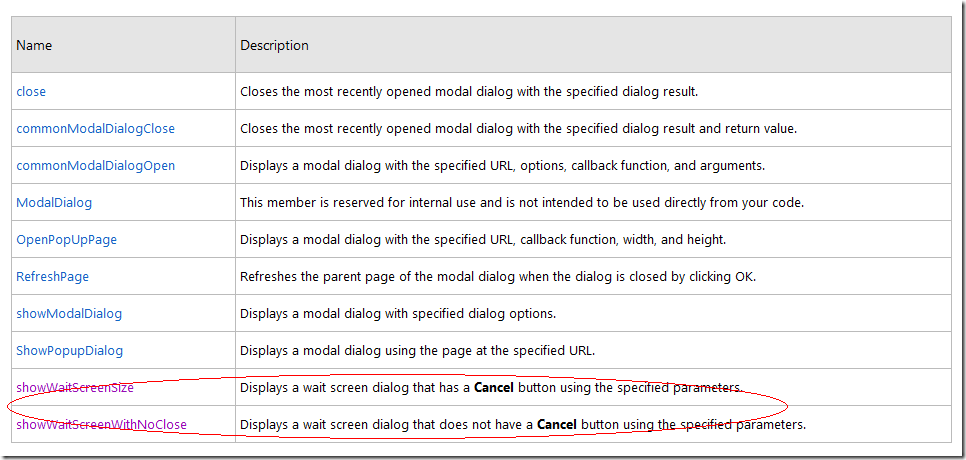
根据MSDN的资料。我做了个测试,代码如下:
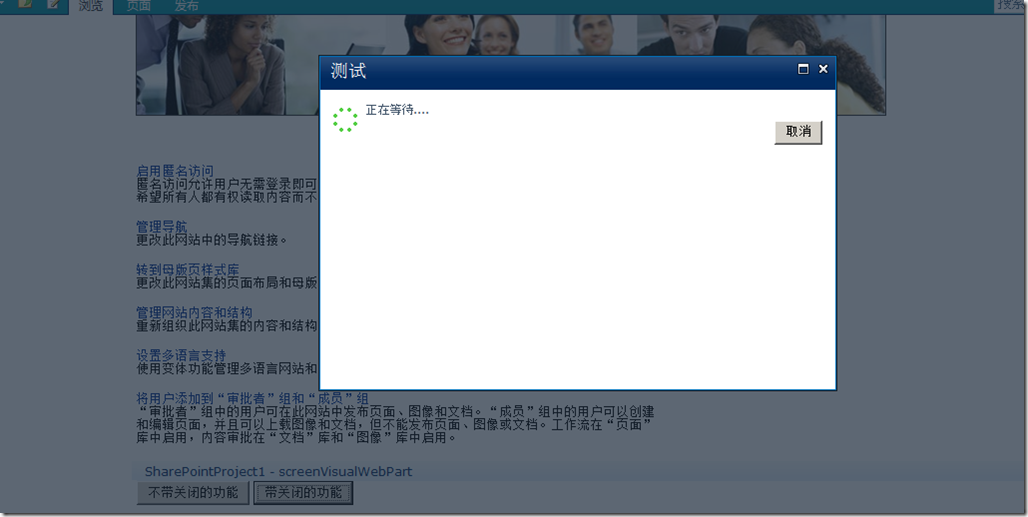
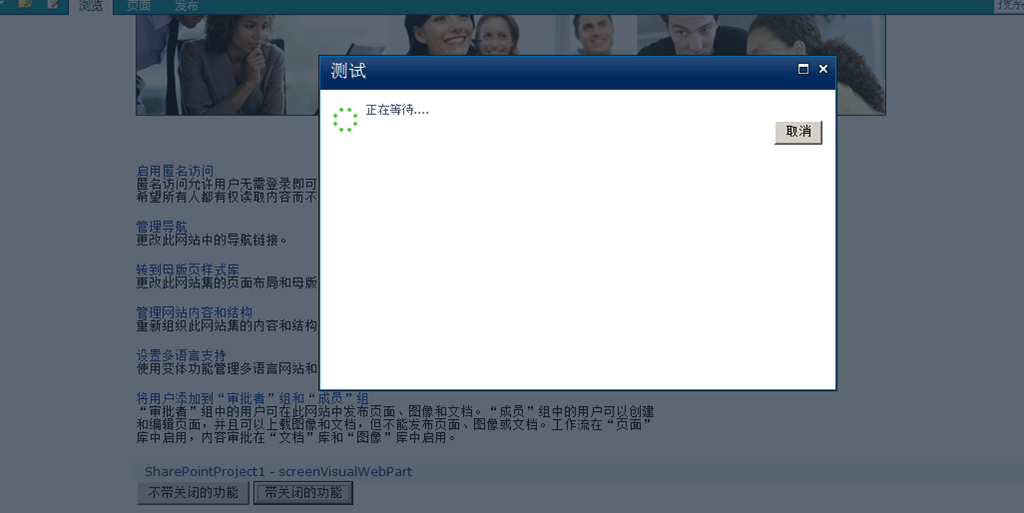
<%@ Assembly Name="$SharePoint.Project.AssemblyFullName$" %><%@ Assembly Name="Microsoft.Web.CommandUI, Version=14.0.0.0, Culture=neutral, PublicKeyToken=71e9bce111e9429c" %> <%@ Register Tagprefix="SharePoint" Namespace="Microsoft.SharePoint.WebControls" Assembly="Microsoft.SharePoint, Version=14.0.0.0, Culture=neutral, PublicKeyToken=71e9bce111e9429c" %> <%@ Register Tagprefix="Utilities" Namespace="Microsoft.SharePoint.Utilities" Assembly="Microsoft.SharePoint, Version=14.0.0.0, Culture=neutral, PublicKeyToken=71e9bce111e9429c" %><%@ Register Tagprefix="asp" Namespace="System.Web.UI" Assembly="System.Web.Extensions, Version=3.5.0.0, Culture=neutral, PublicKeyToken=31bf3856ad364e35" %><%@ Import Namespace="Microsoft.SharePoint" %> <%@ Register Tagprefix="WebPartPages" Namespace="Microsoft.SharePoint.WebPartPages" Assembly="Microsoft.SharePoint, Version=14.0.0.0, Culture=neutral, PublicKeyToken=71e9bce111e9429c" %><%@ Control Language="C#" AutoEventWireup="true" CodeBehind="screenVisualWebPart.ascx.cs" Inherits="SharePointProject1.screenVisualWebPart.screenVisualWebPart" %><input id="Button1" type="button" value="不带关闭的功能" onclick="test();" /><input id="Button2" type="button" value="带关闭的功能" onclick="testClose();" /><script Lanague="javscript" type="text/javascript"><!-- function test() { var value = SP.UI.ModalDialog.showWaitScreenWithNoClose("测试", "正在等待....", 200, 300); } function testClose() { var value = SP.UI.ModalDialog.showWaitScreenSize("测试", "正在等待....", 200, 300); }//--></script>部署效果图如下:
不带关闭按钮的等待提示框

带关闭的等待提示框:
 |
|
 京ICP备14020293号-2
本网站内容均收集于互联网,如有问题请联系QQ:389897944予以删除
京ICP备14020293号-2
本网站内容均收集于互联网,如有问题请联系QQ:389897944予以删除


 窥视卡
窥视卡 雷达卡
雷达卡


 楼主
楼主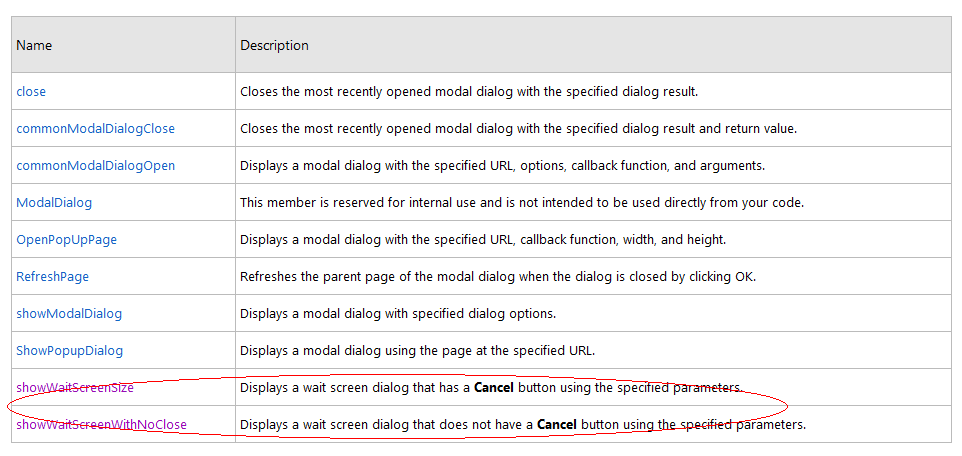

 提升卡
提升卡 置顶卡
置顶卡 沉默卡
沉默卡 喧嚣卡
喧嚣卡 变色卡
变色卡 千斤顶
千斤顶 显身卡
显身卡