|
|
原文地址:http: //www.smashingmagazine.com/2008/09/11/75-really-useful-javascript-techniques/
Developers and designers are using more and more JavaScriptin modern designs. Sometimes this can be a hindrance to the user andtake away from the simplicity of the design, and other times it can addgreatly to the user’s experience. The key is a) adding the right amountof JavaScript, and b) using the right JavaScript techniques. We have already collected various JavaScript techniques in the past – now it’s time for a new portion of JavaScript.
Thanks to the Web’s widespread adoption of JavaScript, JavaScriptlibraries have sprung up to help make design and development easier.Here are a few of the major JavaScript libraries that developers use:jQuery, Prototype, Scriptaculous, mootools, Dojo. These frameworks havethriving communities whose members have developed countless plug-insthat can greatly add to the JavaScript framework.
However, sometimes we need JavaScript solutions that are a little more involved or specific. Here are 75 more handy JavaScript techniques that have made websites much sleeker and more interesting.
75 Useful JavaScript Techniques
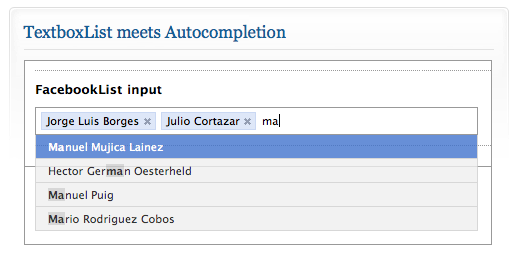
Textboxlist Auto-Completion
One of the most attractive features of JavaScript is the highly usefulautocompletion. No other website does the autocompletion better than Facebook.They have created an elegant way to search for other Facebook usersusing the autocomplete feature. Once the user is found, their name isadded with an outline and an “X” link to remove the name. TextboxListhas mimicked this feature and created a little script for downloading.
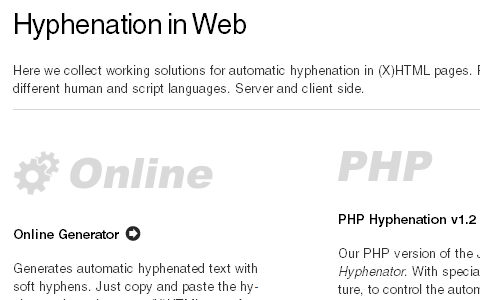
Hyphenation in Web
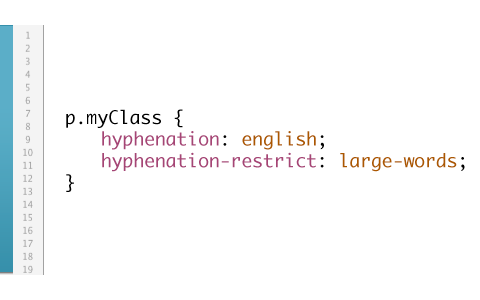
This project collects working solutions for automatic hyphenation in(X)HTML pages. For different human and script languages, server- andclient-side. A JavaScript-solution, called Hyphenator.jsis available as well. Hyphenator.js brings client-side hyphenation ofHTML-Documents on to every browser by inserting soft hyphens usinghyphenation patterns and Franklin M. Liangs hyphenation algorithmcommonly known from LaTeX and Openoffice.
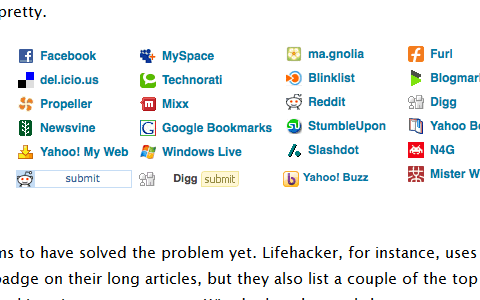
SocialHistory.js
SocialHistory.js enables you to detect which social bookmarking sitesyour visitors use. It cannot enable you to see all of the user’shistory. It checks, in a 20-questions style, if the user has been to aparticular URL: It’s hit or miss. SocialHistory.js has a big list ofthe most popular social bookmarking sites which it checks against. An alternative approach.
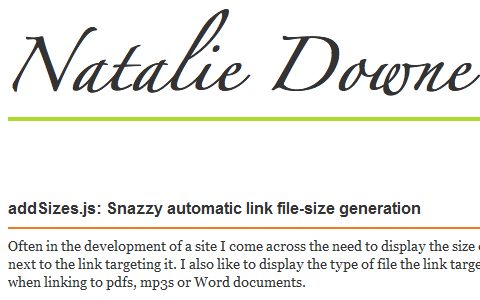
addSizes.js
This small JavaScript takes care of an automatic link file-sizegeneration. For instance, if you have large .mp3- or .pdf-files offeredon your page, this script automatically checks the size of the file anddisplays the format and the file size in brackets.
syntaxhighlighter
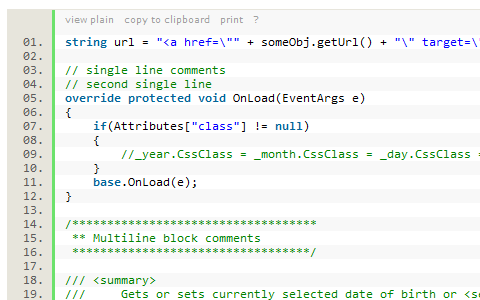
SyntaxHighlighter is here to help a developer/coder to post codesnippets online with ease and have it look pretty. It’s 100% JavaScript based and it doesn’t care what you have on your server.
samaxesjs
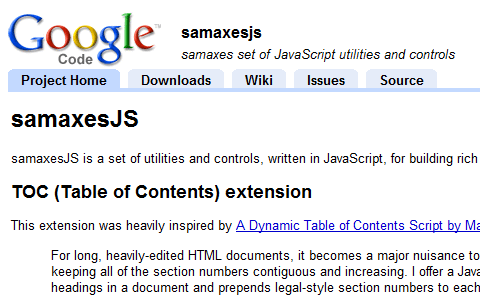
samaxesJS is a set of utilities and controls, written in JavaScript,for building rich interactive web applications. The TOC controldynamically builds a table of contents from the headings in a documentand prepends legal-style section numbers to each of the headings: addsnumeration in front of all headings, generates an HTML table ofcontents, degrades gracefully if JavaScript is not available/enabled.
Step by Step
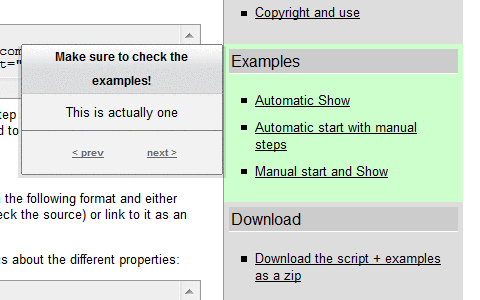
This script allows you to show and explain visitors what your page hasfor them. You might have encountered interactive demos created withscreencasting and screengrabbing software that explain an interface tousers in a step-by-step manner. This is exactly what this script doesfor web sites.
MoreCSS
MoreCSS is a small, cross-browser compatible JavaScript library whichenables you to create tab menus, tables and lists with “zebra”-style asif you were using regular CSS. It’s enough to include the library inHTML and use CSS for general purpose design elements.
Facelift Image Replacement
Facelift Image Replacement (or FLIR, pronounced fleer) is an imagereplacement script that dynamically generates image representations oftext on your web page in fonts that otherwise might not be visible toyour visitors. The generated image will be automatically inserted intoyour web page via Javascript and visible to all modern browsers. Anyelement with text can be replaced: from headers (h1, h2, etc.) tospan-elements and everything in between!

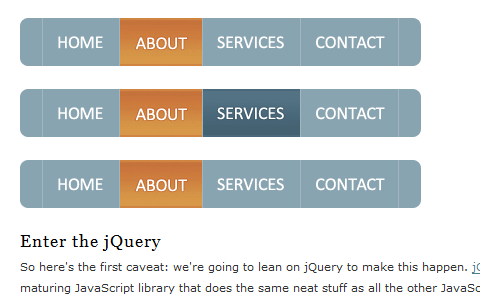
CSS Sprites2
Cross-browser functionality is a bit of a freebie; jQuery works acrossmost modern browsers, so everything you see here works in IE6+,Firefox, Safari, Opera, etc. We’ve also accounted for multiple gracefuldegradation scenarios.
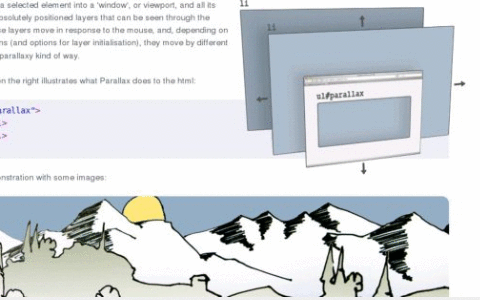
jParralax
“Parallax is [a jQuery library that] turns a selected element into a‘window’, or viewport, and all its children into absolutely positionedlayers that can be seen through the viewport. These layers move inresponse to the mouse, and, depending on their dimensions (and optionsfor layer initialisation), they move by different amounts, in aparallaxy kind of way.” Think of looking through a camera and havinglayers of objects at various distances moving around. This libraryachieves that effect using multiple using static images, one for eachlayer.
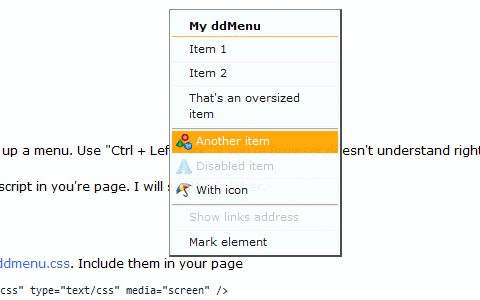
ddMenu - Context Menu Script
ddMenu is a simple MooTools-based script to create you’re own contextmenus. Press the Crtl-key and right click to switch between ddMenu andbrowser default context menu. Press the Shift-key and right click toopen ddMenu beside the browser default context menu.
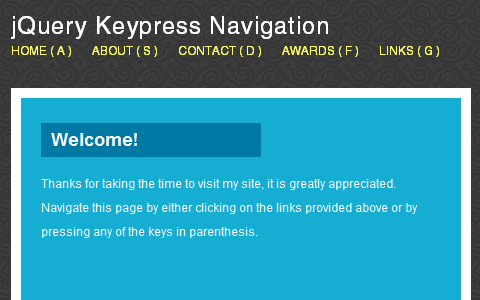
js-hotkeys
jQuery.Hotkeys plugin lets you easily add and remove handlers forkeyboard events anywhere in your code supporting almost any keycombination. It takes one line of code to bind/unbind a hot keycombination. Alternative approach.
BarackSlideshow
An elegant, lightweight slideshow script. It works with MooTools 1.2,and supports all kinds of shape transformations (top and leftcoordinates, and height and width properties), which means it can nowbe used with vertical, horizontal, or even irregular lists.

Galleria
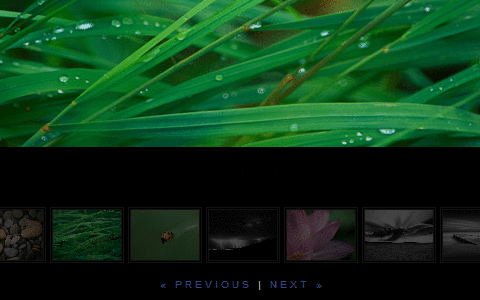
Galleria is a javascript image gallery written in jQuery. It loads theimages one by one from an unordered list and displays thumbnails wheneach image is loaded. It will create thumbnails for you if you chooseso, scaled or unscaled, centered and cropped inside a fixed thumbnailbox defined by CSS.
History Keeper
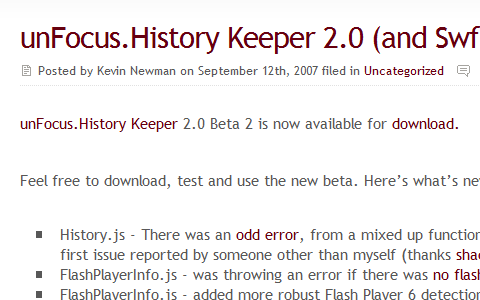
unFocus History Keeper is a JavaScript based library for managingbrowser history (back button) and providing support for deep linkingfor Flash and Ajax applications. It enables back button support, forclient-side applications, has a hash-based deep linking (Anchor Style -index.html#foo=bar) and is event-driven - Subscriber pattern. Currentlythe script works well in all modern browsers.
date.js
Datejs is an extensive open source JavaScript Date library for parsing, formatting and processing time and dates.

Lightview
Lightview is another script that create modal windows on a web-site. Ithas a smart image preloading, adjustable rounded corners, without PNGsand content resizes to always fit on your screen. The script can beused for presentations, single images, Quicktime-files, Forms, Iframes,Inline content and Flash-files.

Coda popup bubbles
The software company Panic has a beloved Mac application for developers called Coda.Coda has an incredibly elegant design, and one of the subtle JavaScripteffects that have been added to it is a stylized pop-up bubble. Theblog jQuery for Designers has created a script that combines jQuery with custom code to replicate the feature used on the Coda website. The effect is subtle and elegant and greatly adds to the user’s experience.

ajax im
With the popularity of Web-based IM clients, like meebox, manydevelopers want to add a JavaScript IM client of their own. Ajax IM isa library dedicated to creating an Ajax IM client that works out of thebox. The script is a relatively large one, but it can be a nice effectfor some websites that need more interaction with their users.

LiveValidation
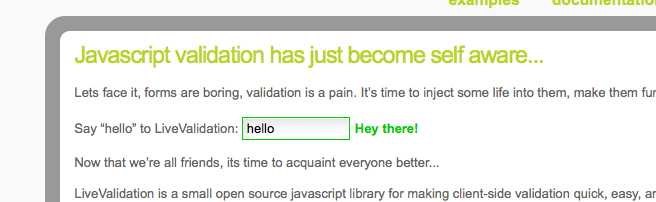
This is a handy gem for any web developer who uses forms. Trying tocreate an intuitive sign-up form can be a chore with all the differenttypes of validation that need to happen. Also, creating a faster, moreintuitive form with JavaScript can be tricky, too. Thankfully, LiveValidationhas taken the guesswork out of the process and created a tiny,unobtrusive script that can take the pain out of form validation. Ifyou’re a Ruby on Rails developer, LiveValidation comes in two forms:either with Prototype (ideal for Ruby on Rails) or one that can be used as a stand-alone package.
Ajax AutoSuggest
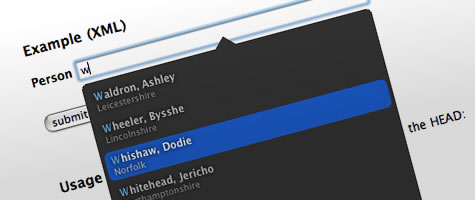
Like TextboxList’s autocompletion script, Ajax AutoSuggest is atasteful and refined autosuggest script. The script is quite tiny,weighing in at just under 9k, and adds a very nice touch to any searchform.
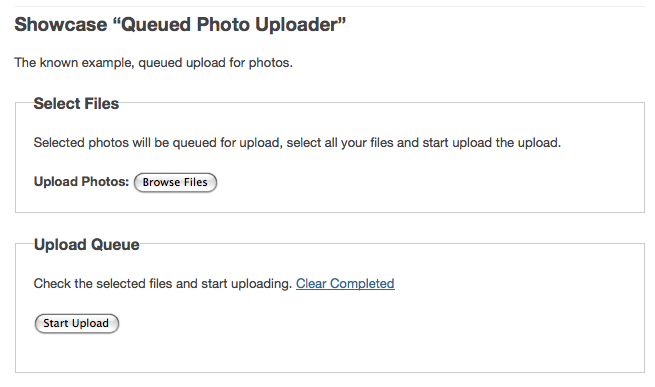
FancyUpload
This is an upload script that shows the progress of files you areuploading. It’s perfect for any upload form and even allows formultiple uploads at the same time. You can limit the size of theuploaded file as well as restrict the type of file that can beuploaded. The only requirement that FancyUpload has is that your usershave installed Flash, which has a 95% penetration among Web users.
Taggify
Taggify is a bit different in implementation than the other JavaScriptslisted. Taggify is a hosted solution for adding pop-up widgets tophotos. Instead of having to download a script and host it on yoursite, you can just add a tiny <include>in your tag, and you’ll have the power of Taggify installed on yoursite. Using Taggify is interesting; it adds notes and other usefulinformation to photos.
Think of it as a souped-up version of the note-adding feature forFlickr images. You can add any HTML to the Taggify note, creating anice informational page to accompany any image that needs a bit moreexplanation.

AmberJack
AmberJack is one of the more interesting and compelling JavaScripttechniques. Website tours are extremely beneficial because they canhelp familiarize users, showcase features and products, and many otherthings. Possibly the best part about AmberJack is that nothing has tobe installed or learned to start creating website tours. AmberJackprovides a way for website and product owners to quickly and easilycreate website tours with JavaScript. It’s an amazingly tiny download,at only 4 KB.

Sliding Tabs
This is another script inspired by Coda.Essentially, it’s a smooth-scrolling tab system that makes switchingbetween panes easy and smart. You can see a demo of Sliding Tabs here. Sliding Tabs is built off of the JavaScript framework MooTools. Alternative solution.


JavaScript Image Loader
If you’re looking for a more intuitive way for users to upload and preview images on your website, the JavaScript Image Loader (demo)might fit the bill. The JavaScript Image Loader is a great way to showyour users an image before it has uploaded, and it can also provideother information about the image if desired.

swfIR
swfIR is an interesting concept as it uses a combination of Flash andJavaScript and adds image manipulation functionality to it. Once swfIRis installed, it adds a <span> with the class “swfir” around theimage. swfIR can add almost any manipulation to an image. An especiallyuseful feature of the script is its ability to automatically resizeimages based on the size of the page. When you resize the text on thepage, the image resizes proportionally with the layout. By resizing thepicture along with the text, the design feels much more cohesive.

MooFlow
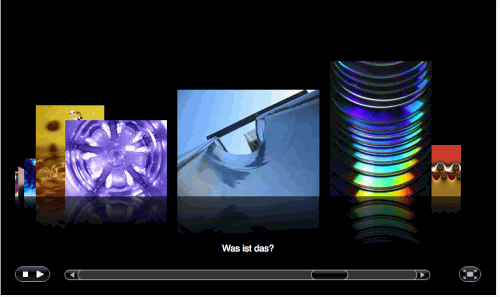
For fans of Apple’s Cover Flow feature in Leopard, MooFlow is takendirectly from Apple’s playbook. MooFlow is a JavaScript gallery scriptthat uses MooTools and adds a bit of JavaScript magic to make beautiful image galleries, complete with a slider that mimics Cover Flow.
Just like with Cover Flow, you can manipulate MooFlow’s gallerylayout and functionality. You can toggle full-screen mode, imagereflection, and autoplay. MooFlow is quite configurable and easy to setup because it just grabs all of the images within an element.
amCharts
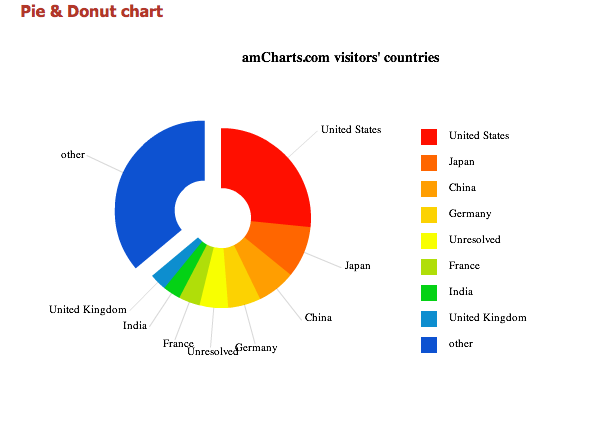
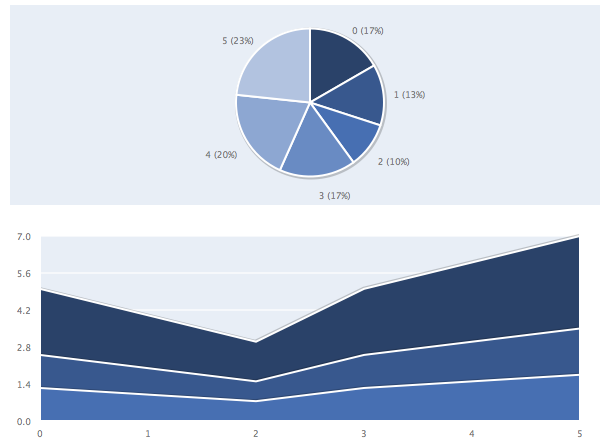
This script is a chart generator that runs off of a combination offlash and JavaScript. You can generate virtually any type of graph orchart with the script, and can even use .csv and xml files to pull thedata from. With amCharts, you can generate graphs in the form of Column& Bar, Pie & Donut, Line & Area and Scatter & Bubble.

GreyBox
GreyBox’s website hails the JavaScript pop-up window as “A pop-upwindow that doesn’t suck,” and for good reason. GreyBox does everythingthat a modal window should do. It can display pictures, websites, and just about any other content you can think of.
Using GreyBox is incredibly easy because once you’ve included theJavaScript file in the header, the only thing left to configure isadding a <rel> tag to whatever element you want to display in thewindow.
Mailist
While Mailist isn’t a full-blown AJAX contact form,the tiny script is exactly what most Web developers need to quicklystore email addresses for things like beta sign-ups and otherexpression-of-interest forms. It even has a back end for administeringthings like email backups and editing the look of the form.

SWFObject
SWFObject is a tiny little Flash player that uses JavaScript toovercome many of the obstacles that can’t be solved by markup alone.The player is a tiny download, only 9.5 KB (or 3.8 KB GZIP’ed).SWFObject prides itself on its compatibility with modern browsers, andit actually uses JavaScript to help detect which Flash player versionto use and to avoid outdated Flash plug-ins that break Flash content.

PlotKit
PlotKit is a JavaScript chart-plotting script that relies on the tinyJavaScript framework Moochikit. PlotKit is an exceptional library forquickly plotting all sorts of graphs.
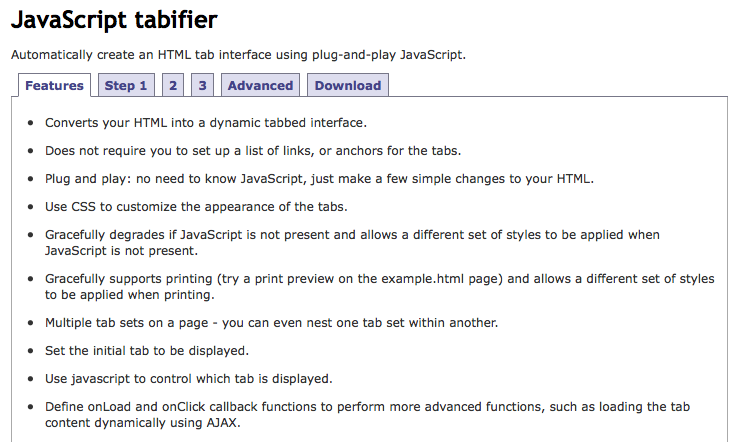
JavaScript tabifier
The JavaScript tabifier is a nifty little script that allows you toquickly and easily create tabs for your content. All that is requiredto use tabifier is to include the JavaScript and add a <div> withthe class “tabber” surrounding the tabbed content, and then add theclass “tabbertab” and the title for the <div> in what shows asthe tab’s title. You can even use advanced techniques, such as addingcookies to the tabs, dynamically changing the tabs, and setting adefault tab.
FancyZoom 1.1
Designed to view full-size photos and images inline without requiring aseparate web page load, FancyZoom is providing a smooth, clean, trulyMac-like effect.
It is focused on a smoothest, polished zooming animation andautomatically scales images from any image link, with no HTML changes.The script also preloads full-size images in the background on linkmouseover and requires no Javascript libraries. FancyZoom requires onlytwo lines of code in your HTML-files.
Useful JavaScript Techniques - FancyZoom 1.1
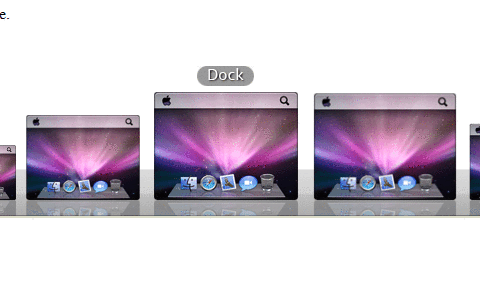
A Mac OS X-style Dock In JavaScript
Apple’s Mac OS X operating system is renowned for its fluid graphicaleffects. One impressive feature is the dock’s ‘fish-eye’ effect,whereby icons expand and contract as the mouse moves over them.Achieving this effect in JavaScript is difficult, but the MacStyleDockfunction allows this feature to be implemented easily.
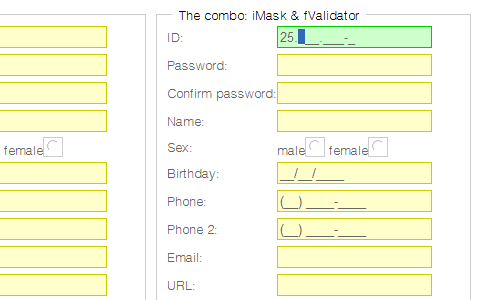
fValidator - An open source (free) unobtrusive javascript tool for easy handling form validation
fValidator is an open source (free) unobtrusive javascript tool foreasy handling form validation. It allows a user to more easily enterfixed width input where you would like them to enter the data in acertain format (dates,phone numbers, etc). Alternative jQuery Plugin.
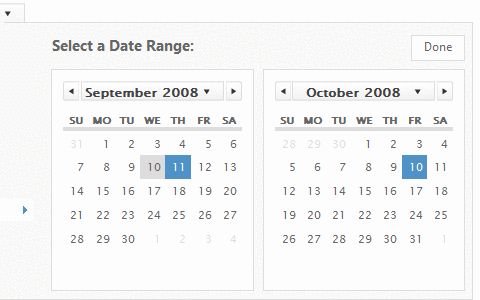
jQuery Interactive Date Range Picker with Shortcuts
An advanced jQuery date picker that is optimized for quickly selectinga date from a list of preset dates/ranges, and we added smoothtransitions when additional options are revealed.
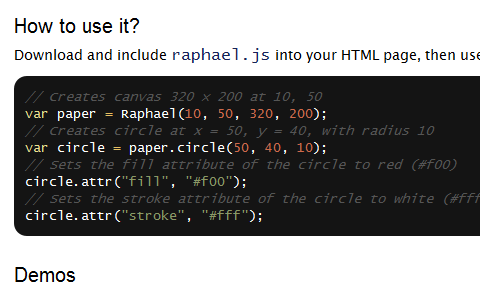
Raphaël
Raphaël is a small JavaScript library that should simplify your workwith vector graphics on the Web. In case you want to create your ownspecific chart or image crop-n-rotate widget, you can simply achieve itwith this library. Raphaël uses SVG and VML as a base for graphicscreation.
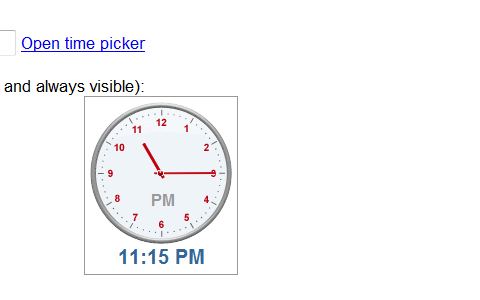
NoGray Time Picker
This time picker utilizes a simple drag and drop interface. To selectthe time users can just drag the minutes or hour of a clock.
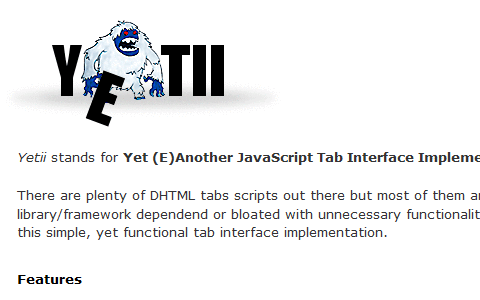
Yetii - Yet (E)Another JavaScript Tab Interface
Yetii is a simple, yet functional tab interface implementation. It haslightweight, object-oriented code and degrades gracefully in browserswithout JavaScript-support. You can have many independend tabinterfaces on a single page, specify initial tab, turn on automatictabs rotation, add next/previous navigation, nest one tab interfaceinside another and define custom function to run after certain tab isclicked.
You can link to certain tab on page A from page B via URL parameterand you can turn on tab persistence feature, so the most recentlyclicked tab is stored inside a cookie and remembered between pagerefresh.
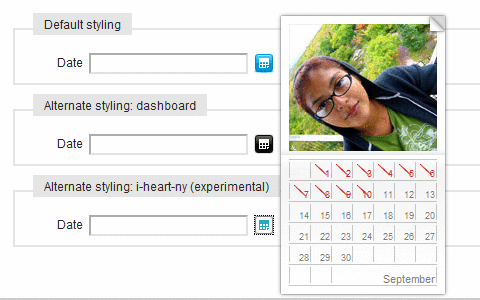
Calendar
Calendar is a Mootools Javascript class that adds accessible andunobtrusive date-pickers to your form elements.It has highlyconfigurable inputs and selects, multi-calendar support (with padding),variable navigation options and multi-lingual and fancy date formatting.
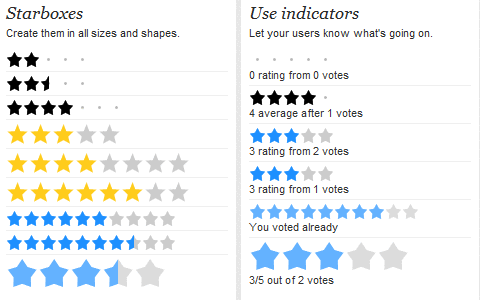
Starbox
Starbox allows you to easily create all kinds of rating boxes usingjust one PNG image. The library is build on top of the Prototypejavascript framework. For some extra effects you can add Scriptaculousas well.
Magic Zoom
Magic Zoom is a JavaScript zoom tool. It’s the best way to displayimages in incredible detail. Users do not need to click anything - theyjust move their mouse over the image to see every detail of yourproduct.

Magic Magnify
Magic Magnify is a Flash zoom tool. It’s an elegant effect to viewimages with a magnifying-glass. Upon hover over the image, the usersees the close-up detail of the product. Price: $28 / £15 / €18.

Carousel.us
Carousel.us is a Javascript 3D carousel, using either the prototype.jsand scriptaculous.js or mootools.js frameworks. It also uses PHP EasyReflections v3 by Richard Davey.

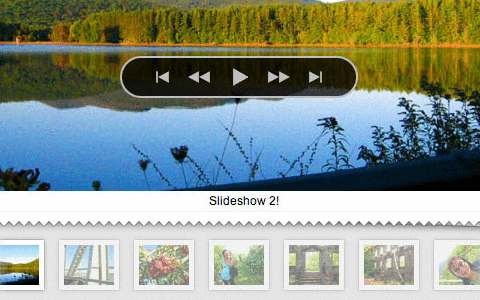
slideshow
Slideshow is a javascript class for Mootools 1.2 to stream and animatethe presentation of images on your website. Slideshow is the result ofmany trials in code attempting to create a javascript class that waslightweight, unobtrusive, a snap to setup (but also highlyconfigurable), extendable and - built using the javascript frameworkwith the best effects - visually very impressive. Slideshow began as aside project by Aeron Glemann, and is now open source with an MIT-stylelicense.
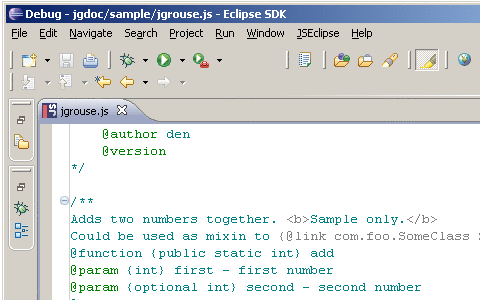
jgrousedoc
jGrouseDoc allows developers to produce documentation for theirjavascript code based on javadoc-like comments embedded into the sourcecode. It allows documentation of classes, regardless what kind oflibrary/technology was used to implement OOP. The script also allowsdocumentation of multiple syntaxes that could be used to invoke afunction/method. The output is customizable using CSS and Velocitytemplates or XSLT.
Lightbox 2
Lightbox is a simple, unobtrusive script used to overlay images on thecurrent page. It’s a snap to setup and works on all modern browsers.
Control.Window
Control.Window is a fully programmable, multi purpose windowing toolkitfor Prototype. It covers a wide variety of use cases and allows for ahigh degree of customization. It can attach to links to open thetargets as windows, or can be filled with dynamic content. It includessupport for stackable, draggable and resizable windows. Subclasses tohandle Modal windows, LightBoxes and Tooltips are included.
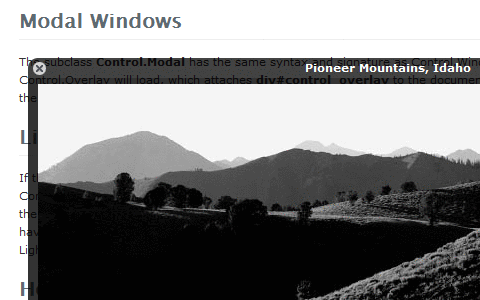
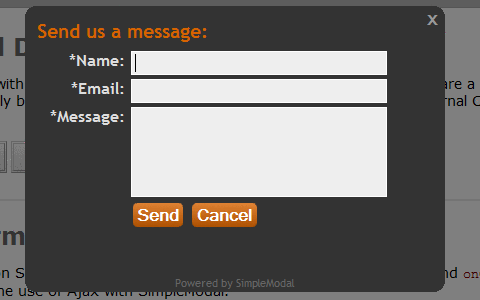
SimpleModal
SimpleModal is a lightweight jQuery plugin that provides a simpleinterface to create a modal dialog. The goal of SimpleModal is toprovide developers with a cross-browser overlay and container that willbe populated with data provided to SimpleModal.
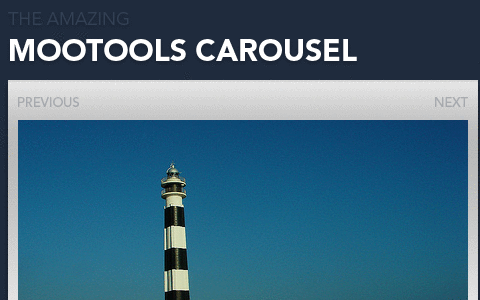
Creating a carousel with MooTools
You’ve probably seen it on various websites: those neat little inlineslideshows that browse you through a gallery of images (or content ifyou want, too). Most people simply copy the code to use it on their ownsite, but I believe that by making it yourself, you learn newtechniques and gain new insight. Therefore I’ll walk you through thistutorial that teaches you how to achieve this through the use of CSSand MooTools.
Unobtrusive Expand and Collapse Navigation
A tutorial that displays how to to create a vertical navigation thatwill expand and collapse to show and hide sub-navigation using onlyunordered lists and as few class/id names as possible.
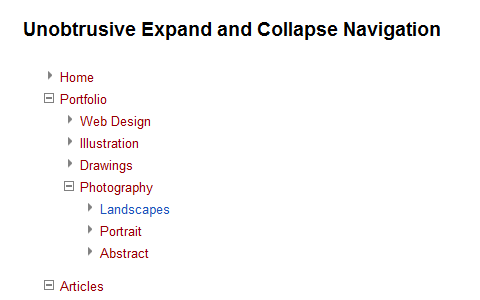
Image Cross Fade Transition
Image rollovers were the staple JavaScript nugget of the 90s, and for alot of JavaScript developers I know, one of the starting places theirpassion for JavaScript. Today, rollovers are a no-brainer - either inCSS or with the simplest of JavaScript. Today’s challenge is therollover transition.
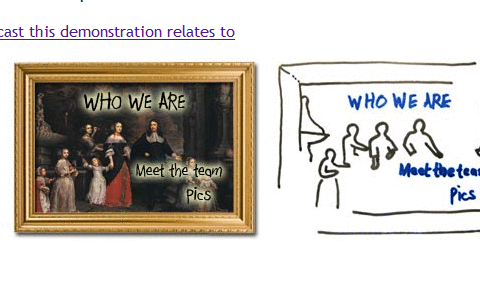
Slider Gallery
This ‘product slider’ is similar to a straight forward gallery, exceptthat there is a slider to navigate the items, i.e. the bit the usercontrols to view the items.
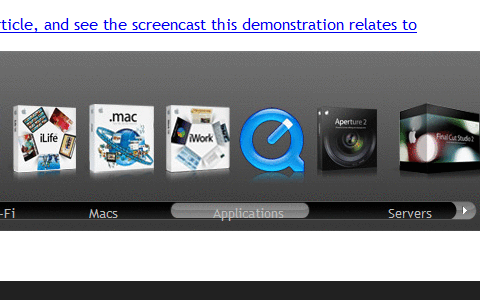
FancyZoom meets jQuery // Ordered List // We Make The Web Beautifully Simple
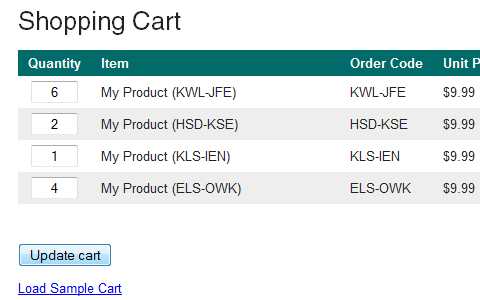
Build An AJAX Powered Shopping Cart
The goal of this tutorial is to show you how to build an AJAX poweredshopping cart. However, it will not be production ready. The back endrequirements vary from site to site far too much to write an effectivetutorial. Instead, we are going to focus on the AJAX parts.
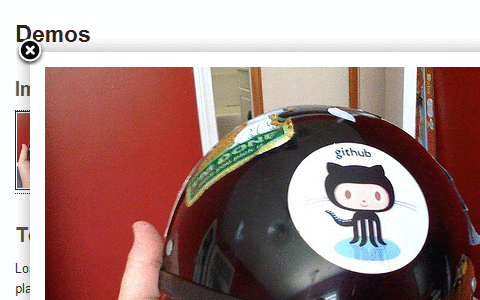
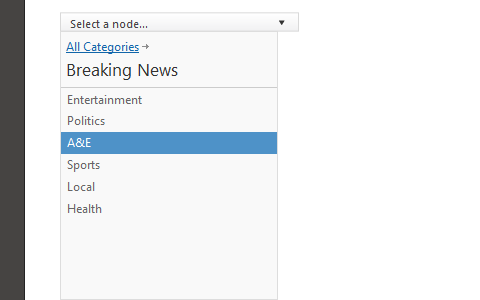
jQuery iPod-style Drilldown Menu
“We created an iPod-style drilldown menu to help users traversehierarchical data quickly and with control. It’s especially helpfulwhen organizing large data structures that don’t translate well intotraditional dropdown or fly-out menus.”
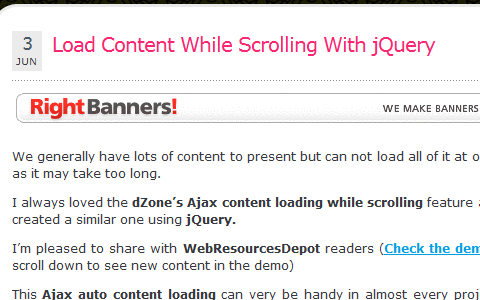
Load Content While Scrolling With jQuery
This script allows to load the content “on the fly” - once th visitorshas scrolled vertically to the end of the content block. “I alwaysloved the dZone’s Ajax content loading while scrolling feature andcreated a similar one using jQuery.”
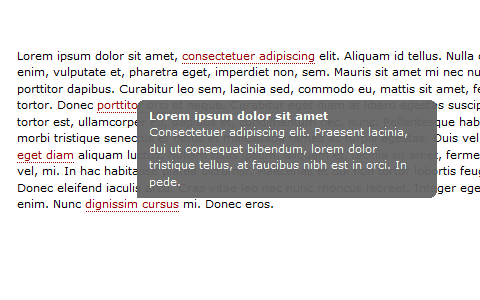
JavaScript Tooltips
This tutorial describes how to create a nice, lightweight JavaScript tooltip. By Michael Leigeber.
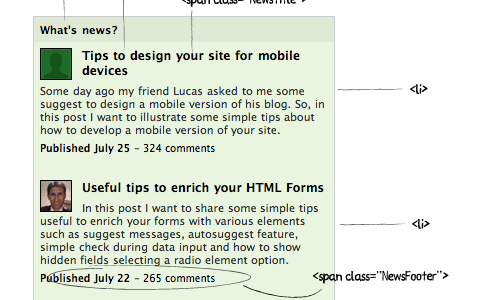
Newsticker
Antonio Lupetti re-creates a news ticker which is similar to the one used on Newsvine. Mootools in use.
jQuery virtual tour
This is an extension to the simple panorama viewer that allows you toplay a little bit more with jQuery by adding interactivity to transformsome panoramic views into a virtual tour.

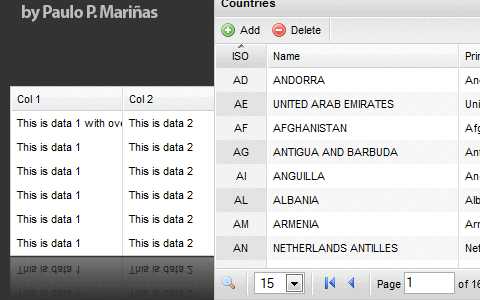
Flexigrid
Lightweight but rich data grid with resizable columns and a scrollingdata to match the headers, plus an ability to connect to an xml baseddata source using Ajax to load the content. Similar in concept with theExt Grid only its pure jQuery love, which makes it light weight andfollows the jQuery mantra of running with the least amount ofconfiguration.
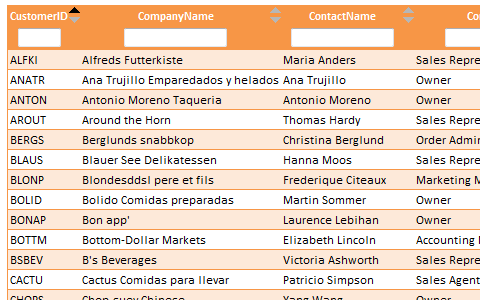
tableFilter
This script allows users to filter and sort even large tables quickly and in an interactive way.
Row Locking with Checkboxes
“I had my function set up so that if any part of the row was clicked,the checkbox would check. When I clicked the actual checkbox, it wouldshow a checkmark, but since the checkbox is a part of that row, myfunction would run, too, which would then think it’s time to uncheckthe checkbox. In a fraction of a second, it would look like thecheckbox never checked, but the row changed color anyway, sending thewrong signals to the end user.”

jQuery File Tree
jQuery File Tree is a configurable, AJAX file browser plugin forjQuery. You can create a customized, fully-interactive file tree withas little as one line of JavaScript code. It has the ability to styleicons based on file extension, uses AJAX to fetch file information onthe fly, has a customizable expand/collapse event and support single-and multi-folder views.

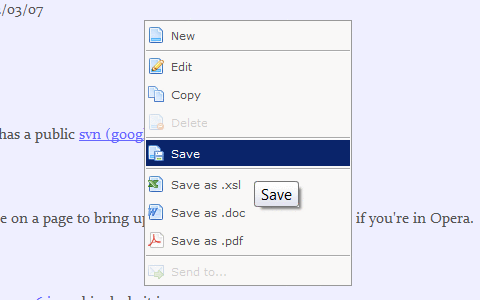
Proto.Menu, prototype based context menu
Proto.Menu is a simple and lightweight prototype-based solution for context menu functionality on your page.
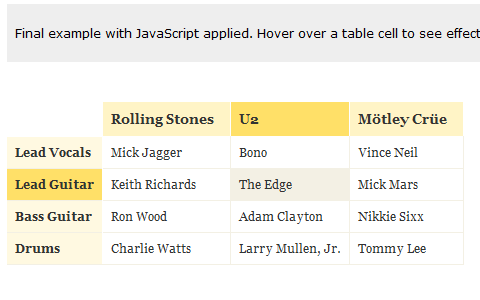
Pricing Matrix
This tutorial explains how to create a matrix that would give an indication of relationships among the information provided.
Toggling Announcement Slider
“A few of my customer have asked for me to create a subtle but dynamic(…I know…) way for them to advertise different specials on theirwebsite. Not something that would display on every page, butperiodically or only the homepage. Using a trick from GoDaddy’splaybook, I put together an announcement slider that toggles on click.Thanks to MooTools 1.2, this was a breeze.”

Tutorials
Show/hide a Login Panel using Mootools 1.2
“Some of you were wondering what script I used to show/hide the loginpanel on top of this page (or in my latest Wordpress theme: “NightTransition”). In this tutorial, we will see how to create a similarlogin/signup panel for your website using Mootools 1.2.”
Images slider to create Flickr-like slideshows
If you like Flickr slideshow, this article explains how to implement itusing Prototype-UI framework. “Since long time I was looking for asimple way to implement a Flickr-like slideshow (”image carousel”) andfinally I found a good compromise between complexity and result toimplement it using Prototype-UI, an awesome JavaScript framework basedon Prototype and Scriptaculous.”
Create an apple style menu and improve it via jQuery
“Since I wrote my last tutorial on how to create a CSS only multileveldropdown menu I got a lot of visitors who wanted to know how I createdthe main navigation of kriesi.at. (a so called kwicks menu) Theinterest in extraordinary menus seems to be high nowadays, so today Iwill teach you how this is done.”
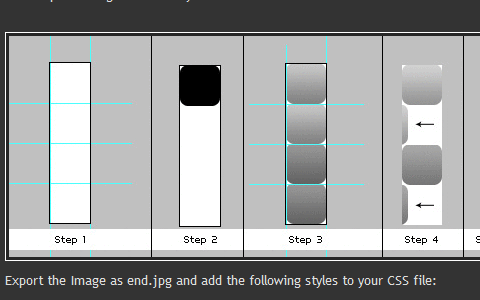
Creating a Slick Auto-Playing Featured Content Slider
By Chris Coyier.

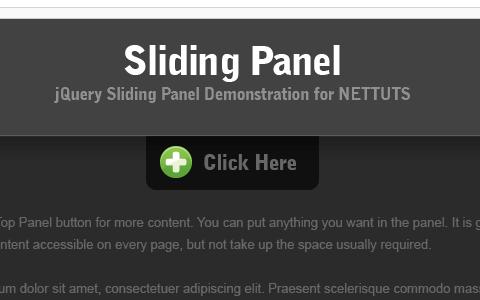
Build An Incredible Login Form With jQuery
One struggle that still remains today in web design is displaying allof the redundant information on every page. For example, a login form.What if there was a way to easily make the content accessible on everypage, but keep it hidden until needed? Well you can, by making a toppanel that when clicked, will reveal its self and its content. But weneed to make this look nice, so we’ll also animate it
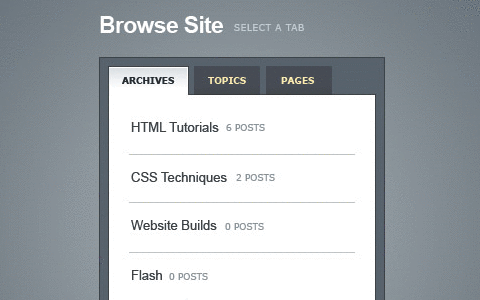
Create a Slick Tabbed Content Area using CSS & jQuery
“One of the biggest challenge to web designers is finding ways to placea lot of information on a page without losing usability. Tabbed contentis a great way to handle this issue and has been widely used on blogsrecently. Today we’re going to build a simple little tabbed informationbox in HTML, then make it function using some simple Javascript, andthen finally we’ll achieve the same thing using the jQuery library.”
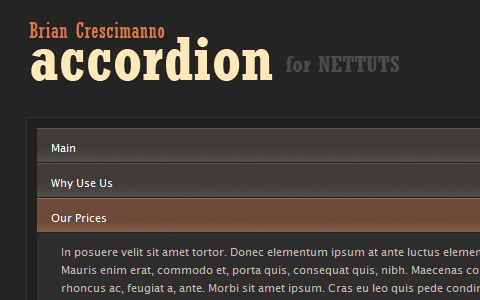
Create a Simple, Intelligent Accordion Effect Using Prototype and Scriptaculous
Learn how to create a lightweight, intelligent “accordion” effect using the Prototype and Scriptaculous libraries.
Create a Simple, Powerful Product Highlighter with MooTools
This tutorial will help you find your inner cow by introducing you toone of the most powerful and modular javascript libraries—MooTools.You’ll create a flexible tool for highlighting your sites products orservices using the MooTools javascript framework.

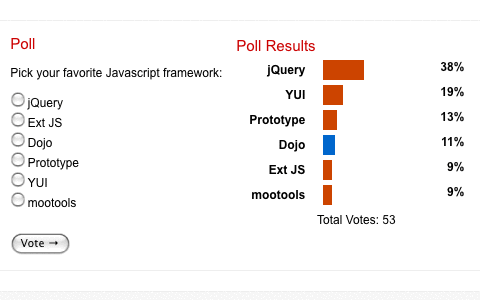
Creating a Dynamic Poll with jQuery and PHP
When you combine some neat functionality courtesy of PHP with thecleverness of jQuery you can produce some pretty cool results. In thistutorial we’ll create a poll using PHP and XHTML, then make use of somejQuery Ajax effects to eliminate the need for a page refresh, and togive it a nice little bit of animation.
Related Posts
You may want to take a look at the following related articles:
Tag标签: JavaScript |
|
 京ICP备14020293号-2
本网站内容均收集于互联网,如有问题请联系QQ:389897944予以删除
京ICP备14020293号-2
本网站内容均收集于互联网,如有问题请联系QQ:389897944予以删除


 窥视卡
窥视卡 雷达卡
雷达卡


 楼主
楼主 提升卡
提升卡 置顶卡
置顶卡 沉默卡
沉默卡 喧嚣卡
喧嚣卡 变色卡
变色卡 千斤顶
千斤顶 显身卡
显身卡